
An AI answering service is a system that holds a real spoken conversation with callers, handles routine requests without human involvement, and routes complex cases to a person — no hold music, no phone menus, no voicemail. In high-volume service businesses, up to 30–40% of incoming calls go unanswered during peak hours when staff are busy (Fonecta, 2024). Most callers don’t try again: they move on to the next provider. This guide covers how to map your calls before choosing a platform, what to demand from the AI’s language understanding, how integrations affect your timeline, and what the whole process costs.
What does an AI answering service actually do?
An AI answering service is not a voicemail system. Voicemail plays a recorded message and waits. 80% of consumers hang up without leaving one — they simply move on (HubSpot, 2023). An AI call answering system listens to the caller, identifies the reason for the call, asks clarifying questions where needed, and takes action: it books an appointment, logs a service request, or transfers the call to the right person with a summary already attached.
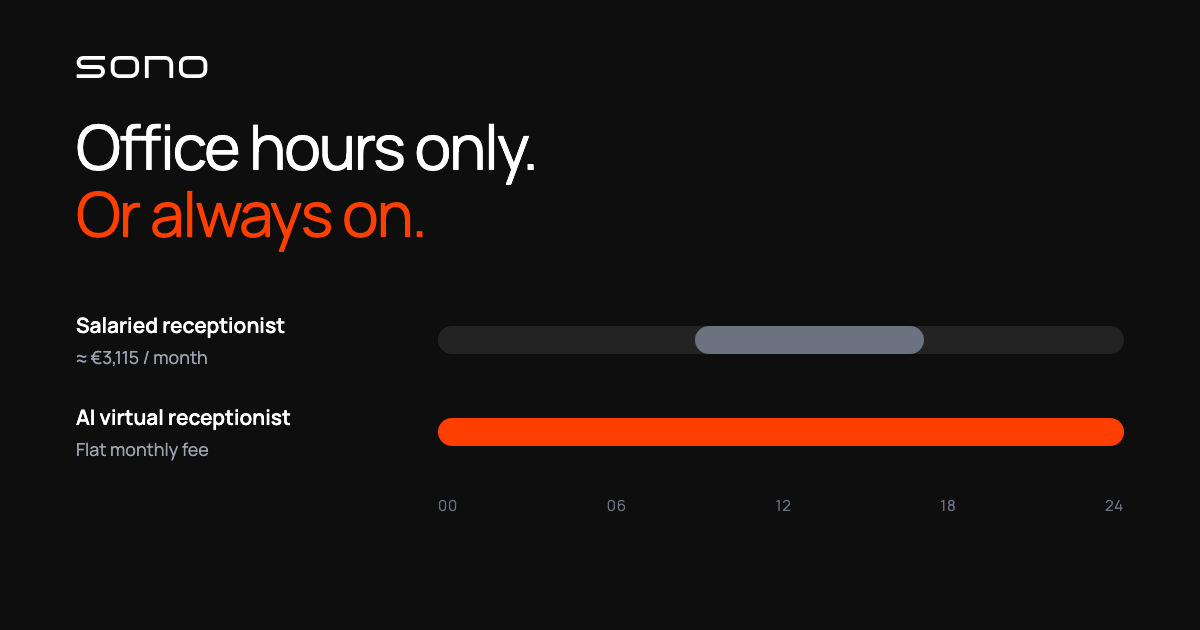
The practical difference shows up fast. Appointment bookings no longer require manual entry. Pricing enquiries get handled automatically. And unlike a person, an AI receptionist is reachable at night, on weekends, and on public holidays — without overtime.
Businesses typically automate three types of calls: routine requests (appointments, opening hours, pricing), routing calls (getting the caller to the right department), and after-hours coverage. What they don’t automate — and shouldn’t — are complaints, negotiations, and anything that requires human judgment. A well-designed AI answering service knows the difference and transfers automatically.
Where to start: map your calls before picking a platform
Before you select a vendor or sit through a single demo, do one exercise: track every incoming call for a week and categorize them. This takes a few hours and will save months of implementing the wrong solution.
In most service businesses, the breakdown looks like this:
- Routine calls (50–70% of volume). Appointment bookings, opening hours, price enquiries, order status checks. These are the primary target for automation — repetitive, predictable, requiring no human judgment.
- Routing calls (15–25%). The caller wants a specific person or department. The AI doesn’t resolve the issue, but it gets the call to the right place and collects the caller’s details before the transfer. This is the territory where conversational IVR replaces traditional phone menus — and it’s where the biggest abandonment-rate gains tend to show up first.
- Complex calls (10–20%). Complaints, negotiations, situations that require a person. AI doesn’t belong here. A good system recognizes its limits and transfers automatically rather than leaving the caller stuck.
Start with routine calls. The fastest return comes from automating your most common call type first — typically appointment scheduling — and removing it from your team’s daily workload.
Step 1 – Design the call flow before touching any software
A call flow maps what happens when a customer calls: what the AI asks, what it does with the answers, and when it hands off to a person. This document is the most important output of the entire project — not the software configuration, not the integration plan.
Good call flow design starts with four questions:
- What is the most common reason customers call?
- What information is needed to handle that request — a vehicle registration number, an order ID, a postcode?
- Which situations always require a human?
- What happens if the system doesn’t understand the caller after three attempts?
Sketch the answers as a simple flowchart — pen and paper is fine. Without this document, vendors pitch a generic AI answering service that works for everyone and is optimized for no one. With it, you enter conversations ready to get a tailored build without extra consultancy rounds.
Step 2 – What to demand from language and fallback handling
Language accuracy is the most important technical selection criterion — before price, before features, before case studies. This is especially true when your customer base includes regional accents, industry-specific vocabulary, or callers who speak quickly or unclearly. In multilingual markets it becomes the deciding factor outright — our guide to voice AI customer service covers how to test per-language quality before committing.
Test every candidate with realistic caller sentences before signing anything:
- “I’d like to book a service appointment for next Tuesday morning.”
- “I’ve got a problem with the invoice that came last month.”
- “Erm, I’m not really sure who I should be calling about this.”
If the AI answering service handles these reliably with background noise, the foundation is solid. If it asks for repetition more than once per sentence, that problem won’t be fixed during onboarding.
Three other criteria that separate good systems from costly ones:
- Fallback logic. When the AI can’t handle a call, does it transfer to a person — or loop? A stuck AI is worse than a missed call.
- GDPR and data residency. Call recordings and customer data must be processed in line with EU data protection law. Verify where data is stored and who has access to it.
- Reporting. Do you get a weekly breakdown of call volumes, successful self-service completions, and transfers? Without data you can’t improve the system over time.
Step 3 – Integrate, pilot, and launch
An AI answering service works from day one with only a call flow — no integrations required. But the real efficiency gain comes from connecting it to your existing tools. When the system can book directly into your calendar or check a customer’s record in your CRM, routine calls complete without any human involvement.
Typical integration points and their realistic timelines:
- Call flow only, no integrations: ready in 2–4 weeks
- Calendar or appointment scheduling integration: 4–6 weeks
- CRM or industry-specific software: 6–10 weeks
Don’t try to integrate everything at once. Start with one use case and expand only after the core logic is working reliably.
Before full launch, run a minimum two-week pilot alongside your normal phone line. Use this period to collect feedback from staff, listen to real calls, and close any gaps in the call flow before customers encounter them. Skipping the pilot is the single most common reason early deployments fail.
How much does an AI answering service cost?
Pricing varies by scope, but the typical structure for a single-location business is:
- Monthly fee: $150–800 per location, depending on call volume and features
- Setup fee: $0–2,000 — often waived for simple configurations, charged for complex integrations
- Call volume: most services include an allowance in the monthly fee, with overage charges above that threshold
For context: a part-time customer service employee costs $2,000–3,500 per month including employer contributions (Bureau of Labor Statistics, 2025). An AI answering service for small business handles the majority of routine calls at a fraction of that cost — and is available around the clock.
Before requesting quotes, always ask for a line-by-line breakdown: monthly fee, setup fee, and overage rates listed separately. Some vendors bury setup costs inside a low monthly price and tie you to a long contract in the process.
What are the most common AI answering service mistakes?
Three mistakes come up across every industry:
- Overcomplicating the call flow from day one. The first version tries to cover every scenario. The result is a system whose logic no one can maintain six months later. Start with two or three of your most common call types. Expand only once those work reliably.
- Skipping real-speech testing before launch. Lab testing doesn’t reflect live conditions. The AI will encounter background noise, accents, and incomplete sentences. A pilot phase isn’t optional — it’s where you find the gaps before they become customer complaints.
- Leaving fallback logic undefined. If the AI can’t handle a call, what happens next? Without a clear answer, callers get stuck or hang up — exactly the outcome you set out to prevent. Define the fallback path before go-live, not after.
Getting started doesn’t require an IT project
The process looks more daunting than it is. Deploying an AI answering service requires no new infrastructure, no large software project, and no significant operational downtime. It requires a good call flow plan, the right AI receptionist platform, and enough testing time to get the details right.
Sono is a voice AI system built for property management companies, automotive dealerships, logistics providers, and other operational businesses where phone volume is high and staff time is limited. If you’re weighing it up for a smaller firm, our guide to AI answering services for Irish SMBs covers the local cost and coverage case. If you want to assess where automation makes most sense in your business, book a free scoping call.
Take it one step at a time. The first version doesn’t need to be perfect — it needs to work.