Call routing software is the part of a business phone system that decides where each incoming call goes, based on rules you set. The destination can be a person, a team, a queue, voicemail or an AI agent. The cloud phone plans we checked start at $15 to $30 per user a month. This guide shows what the common plans include, what to check before you buy, and when routing by what the caller says beats a phone menu. For the plain definition and the routing types, see our glossary entry on call routing.
What is call routing software?
Call routing software applies rules to every inbound call and sends it to a destination. A dental office might ring the front desk during opening hours, send calls after 5 p.m. to an answering service and route anyone who presses 2 to billing. The software makes that decision in the first seconds of the call, before anyone picks up.
In practice you rarely buy it on its own. Routing is a feature of a cloud phone system (Aircall, RingCentral, Dialpad, GoTo Connect and others) or of contact center software. So the real buying question is which phone plan has the routing rules you need. The second question is what happens to calls the rules cannot place.
How much does call routing software cost?
Between $15 and $50 per user a month on the entry and mid-tier plans we checked, with contact center tiers from $89. These are the vendors’ own price pages as we read them on November 17, 2026. Prices change, so check the page before you budget.
| Plan | Price per user a month | Routing on the price page | Notes |
|---|---|---|---|
| Dialpad Connect Standard | $15 | Routing features not listed per plan | Pro is $25; the page does not say whether prices are monthly or annual billing |
| RingCentral Core | $20 billed annually, $30 monthly | Not stated per plan | Advanced $25 / $35, Ultra $35 / $45; “AI Receptionist” add-on from $39 to “answer and route calls” |
| Aircall Essentials | $30 billed annually | Time and date-based routing, IVR, call queuing | Three-license minimum; Professional ($50) adds smart routing on CRM data |
| Dialpad Support Essentials | $89 | “Advanced Routing” and omnichannel routing (voice and digital) | Contact center tier |
| Sono AI phone agent | €0.30 to €0.40 per minute | Routes by what the caller says, then answers, books or transfers | Works in front of your existing phone system |
Sources: Dialpad pricing, RingCentral pricing, Aircall pricing and Sono’s AI phone agent page. Where a price page does not say whether a plan includes a routing feature, we say “not stated” instead of guessing.
For a five-person office, that works out to $75 a month on Dialpad Connect Standard, $100 on RingCentral Core billed annually, and $150 on Aircall Essentials. Those are seat costs. They do not pay for anyone to answer the calls the rules cannot place.
What routing features should you look for?
Five features cover most small and mid-size businesses. Check each one against the plan, not the product page, because vendors often show the full feature list and gate parts of it to higher tiers.
| Feature | What it does | Ask the vendor |
|---|---|---|
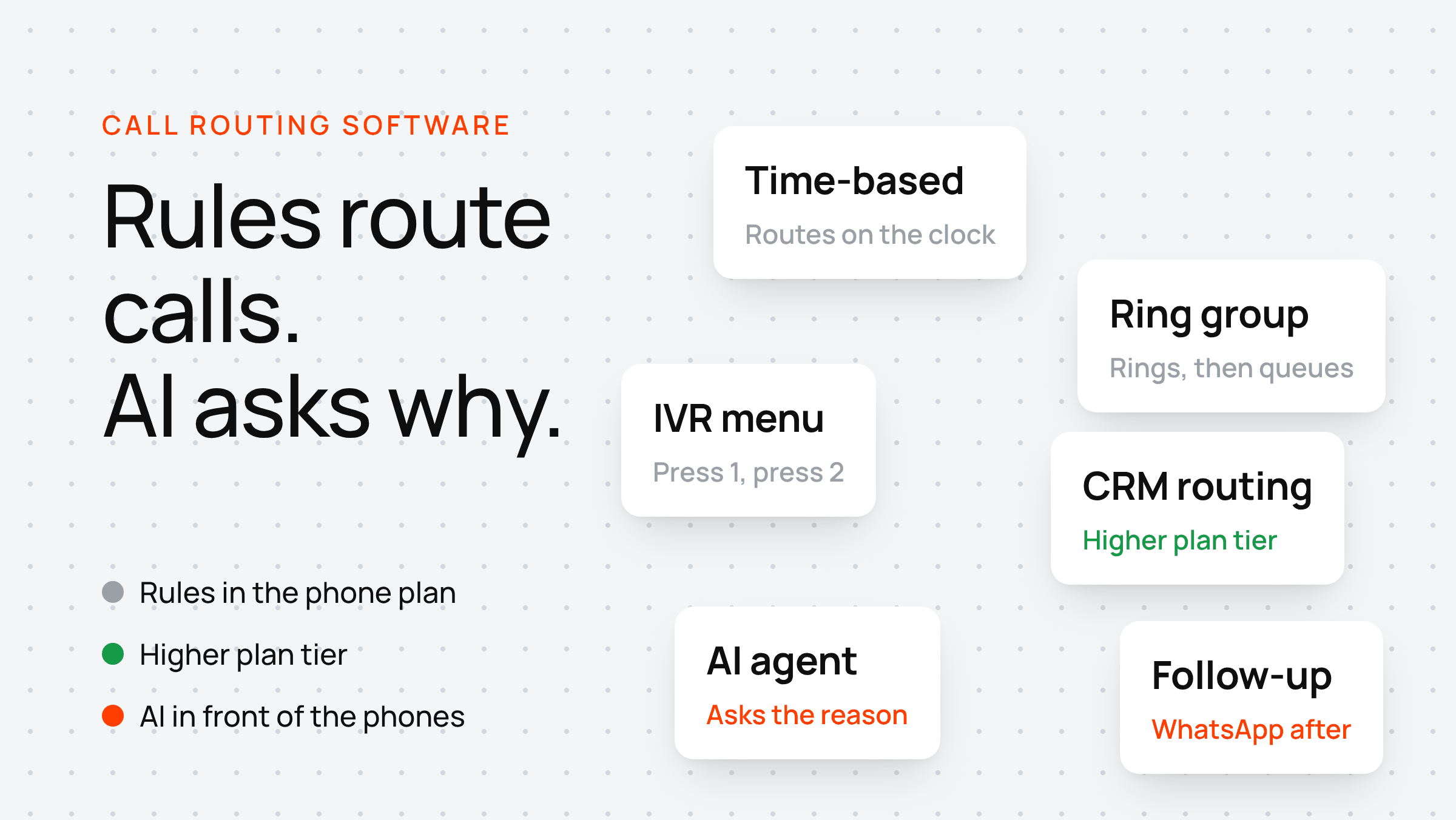
| Time-based routing | Sends calls by business hours, holidays and time zone | Can I set holiday calendars and different hours per team? |
| Ring groups and queues | Rings a team at once or in turn, holds callers in line | What happens when the queue is full or the wait passes 2 minutes? |
| IVR menu (auto attendant) | “Press 1 for sales, 2 for service” | How many menu levels, and who re-records prompts when things change? |
| Skills or CRM-based routing | Matches the caller to an agent by skill, language or account owner | Which plan includes it, and which CRMs does it read? |
| Overflow and after-hours | Sends calls nobody can take to a backup team, voicemail or an answering service | Can overflow go to an outside number or an AI agent? |
The last row is where most setups leak. RingCentral describes overflow routing as sending calls to a secondary team, a callback or voicemail when queues are full. That works for a contact center with a second team. A 10-person business usually has no second team, so the overflow destination ends up being voicemail.
Does every call need to go through an IVR menu?
No. A touch-tone menu only works when the caller’s reason matches one of the options. When it doesn’t, they guess, land with the wrong team and start over, or press 0 and wait. Every change to your services also means re-recording prompts and rewiring the tree.
Routing by intent replaces the menu with one open question. The caller says “my last invoice looks doubled,” and the system works out that this is a billing question. That is what an AI IVR does, and it removes the guessing step rather than adding another menu level.
Call routing software vs an AI phone agent: which do you need?
Most businesses need both, doing different jobs. The phone system owns your numbers, users and queues. An AI phone agent answers first, finds out why the person is calling, and either resolves the request or hands it to the right person through the phone system’s routing.
| Rules-based routing | IVR menu | AI phone agent (Sono) | |
|---|---|---|---|
| What it routes on | Clock, dialed number, ring order | Key press | What the caller says |
| Knows why the caller is calling | No | Only if the reason fits a menu option | Yes, in the caller’s own words |
| Answers routine questions | No | No | Yes, from your knowledge base |
| Completes a task on the call | No | Rarely | Books, takes messages, raises tickets |
| When nobody is free | Voicemail or queue | Voicemail or queue | Takes the details and sets a callback |
| Follow-up after the call | None | None | WhatsApp first, SMS if the caller has no WhatsApp |
| Pricing basis | Per user a month | Included in the phone plan | Per minute of conversation |
If your callers mostly want one of three clearly separate things, a short menu on your existing plan is enough. If they ask about many different things, or a lot of calls end in voicemail, put an AI phone agent in front of the menu.
How do you set up call routing for a small business?
Start from your call log, not from the feature list. Five steps:
- List why people call. Pull 2 weeks of calls and write down the reason for each. A short list of reasons usually covers most of them.
- Decide the outcome for each reason. Some calls should be answered on the spot (opening hours, order status), some booked, and some sent to a named person.
- Set the hours and the fallback. Decide what happens at lunch, after hours, on holidays and when every line is busy. The fallback is part of the routing plan, not an afterthought.
- Choose who answers first. A person, a menu or an AI agent. With an AI agent, you forward the number and describe the call reasons and handoff rules in plain text.
- Review a week of calls. Check which calls went to the wrong place or ended in voicemail, and adjust the rules.
What should happen to calls nobody can answer?
A missed call is often a lost customer, so the fallback order matters as much as the first rule. We recommend the phone first, then WhatsApp, then SMS and email. An AI agent answers and collects the details. A WhatsApp confirmation goes out right after the call, so the caller can reply with photos or documents. A text reaches callers without WhatsApp, and an email summary goes to the team that acts on it.
Sono handles the first two steps on the same call. It picks up on the first ring in your company’s name, asks one question, and either finishes the request or transfers to your team with the reason attached. For evenings and weekends, see our page on after hours answering, and for the full product, the AI receptionist.
Frequently asked questions
Is call routing software the same as a cloud phone system?
Not quite, but they are usually sold together. A cloud phone system provides numbers, users and calling. Call routing is one of its features. Contact center platforms add more advanced routing, such as skills-based and omnichannel routing, at a higher price per user.
What is the difference between call routing and call forwarding?
Call forwarding sends every call to one other number. Call routing picks a destination for each call by rules, so two callers who dial the same number can reach different people. The glossary entry on call routing covers the routing types in more detail.
Can an AI phone agent work with my existing phone system?
Yes, if your system can forward calls to an outside number. You forward the main number, or only the overflow and after-hours calls, to the AI agent. It transfers calls back to your team’s numbers when a person is needed.
How much does AI call routing cost?
Sono is priced per minute of conversation, from €0.30 to €0.40 for a fully managed deployment. At 400 calls a month averaging 2 minutes, that is 800 minutes, or €240 to €320. RingCentral lists its AI Receptionist add-on from $39 a month. Compare that with the cost of the calls that currently end in voicemail.